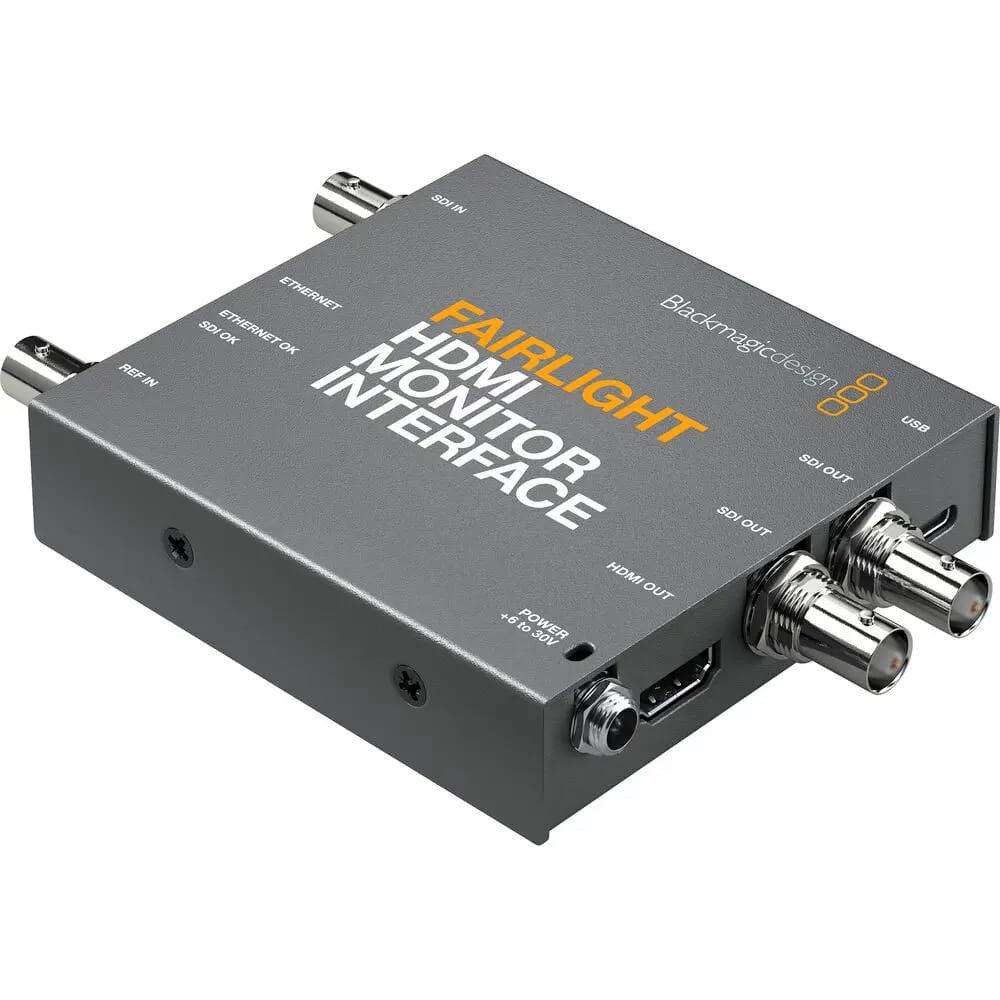
Blackmagic Design Fairlight HDMI Monitor Interface
32,279 TK
In stock
Available to order now.

Key Features
For DaVinci Resolve Systems
Enables Use of an HDMI Monitor
Compact Design is Easily Concealed
Ethernet/SDI Input Switch
HDMI Type-A Output
Dual SDI Outputs
Ethernet/SDI Status LEDs
USB Type-C Port for Configuration
Includes External Power Supply
Share
Use HDMI Monitors with Fairlight Consoles
If you are using the Fairlight Console components in your own custom desk with HDMI monitors, you can use Fairlight HDMI Monitor Interface to generate the graphical feedback from Fairlight Console Channel Control. This compact converter can be placed discretely on the back of your HDMI monitor and converts the Fairlight console Ethernet data to HDMI.
Instant Graphic Feedback
You get instant graphic feedback for the channel control status just as you would with the Fairlight Console LCD Monitor.
SDI Support
The interface input can also be switched to SDI so you can see the talent up close for checking lip sync while editing. The SDI output mirrors the HDMI output so you can connect the interface to a remote SDI monitor.
I/O Ports
Ethernet input on an RJ45 port
3G-SDI input on a BNC jack
Dual 3G-SDI outputs on BNC jacks
HDMI Type-A output
Input Status LEDs
The interface features status LEDs for easy confirmation of valid Ethernet and SDI input signal.
Configuration and Updates via USB Type-C
A USB Type-C port is provided for software configuration (via Fairlight Studio and Console setup utility) and software updates.
Convenient Software Upgrades
The Fairlight HDMI Monitor Interface utilizes an internal software upgrade function via an updater application.
External Power Supply
The Fairlight HDMI Monitor Interface comes with a +12V universal power supply and international socket adapters for most countries.
Questions & Answers
What is the latest Blackmagic Design Fairlight HDMI Monitor Interface price in Bangladesh?
The latest Blackmagic Design Fairlight HDMI Monitor Interface price in Bangladesh is 32,279 TK. Price may change based on stock, offer, and supplier update.
Where can I find the current Blackmagic Design Blackmagic Design Fairlight HDMI Monitor Interface price in Bangladesh?
Camera Bazar lists the current Blackmagic Design Blackmagic Design Fairlight HDMI Monitor Interface price in Bangladesh as 32,279 TK, with availability depending on stock and offer updates.
Blackmagic Design Fairlight HDMI Monitor Interface এর দাম কত?
Blackmagic Design Fairlight HDMI Monitor Interface এর বর্তমান দাম 32,279 TK। স্টক ও অফারের উপর দাম পরিবর্তন হতে পারে।
Where can I buy Blackmagic Design Blackmagic Design Fairlight HDMI Monitor Interface in Bangladesh?
You can buy Blackmagic Design Blackmagic Design Fairlight HDMI Monitor Interface from Camera Bazar online or from Camera Bazar showrooms in Bangladesh, subject to availability.
Is Blackmagic Design Fairlight HDMI Monitor Interface available now?
Blackmagic Design Fairlight HDMI Monitor Interface is in stock at Camera Bazar. Availability can change, so confirm stock before ordering.
What are the key specifications of Blackmagic Design Fairlight HDMI Monitor Interface?
Key specifications include Compatibility: DaVinci Resolve Systems, HDMI Output: Type-A, SDI Outputs: Dual 3G-SDI, Input Switch: Ethernet/SDI. See the specifications table on this page for full details.