Blackmagic Design Fairlight Console LCD Monitor
155,399 TK
In stock
Available to order now.
Warranty
1 Year Official Warranty - 12 months coverage

Key Features
For DaVinci Resolve 17 Systems
Add a Monitor per Fairlight Console Bay
Graphical Channel Control Feedback
Shows DaVinci Resolve User Interface
Full-Screen Video Preview Monitor
Ethernet, HDMI, and SDI Connectivity
USB Type-C Port for Configuration
Internal Power Supply
Share
Clear Visual Reference
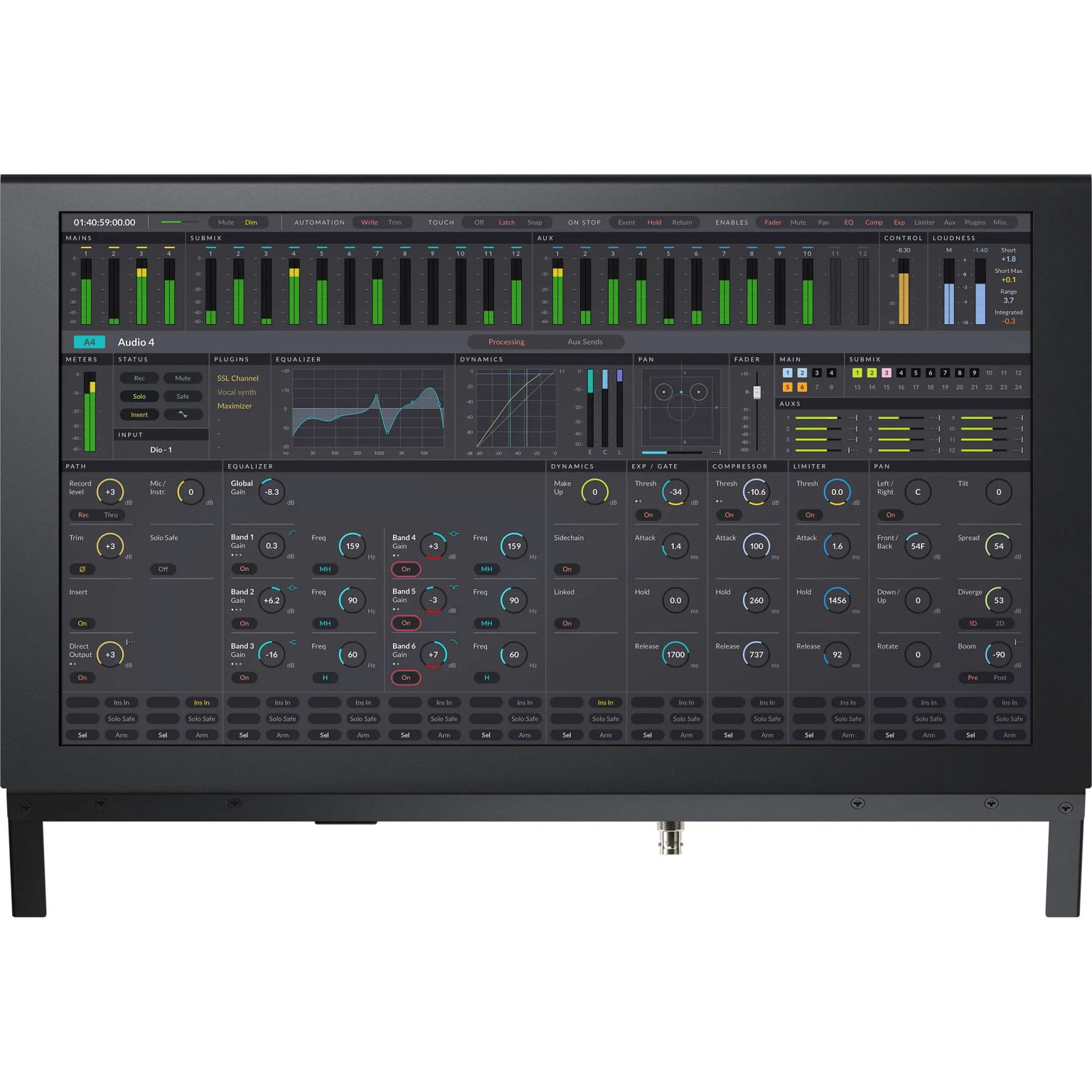
The Fairlight Console LCD Monitor is its own self-contained computer running Blackmagic OS, giving you instant graphic feedback for all channels in its corresponding module. It can display channel information, the DaVinci Resolve user interface, plug-in interfaces, or video previews.
Depending on the task, you'll see individual channel information in-line with each fader strip below, all parameters when used in single-channel mode, or all controls for master mode. Previewing the video program while mixing and editing allows you to see the talent up close; you get a detailed view of character faces for checking lip sync. You can add a Fairlight Console LCD Monitor to every bay.
Graphical Channel Control Feedback
When installed above a channel control panel, the LCD is connected via Ethernet. The LCD includes a built-in computer running Blackmagic OS to generate real-time graphical feedback for the controls on the panel below based on the channel control mode.
DaVinci Resolve User Interface
When the LCD is installed in a console above the Fairlight Audio Editor, the HDMI connection is used to connect the computer to the LCD. This allows the console operator to see the DaVinci Resolve interface without needing a separate monitor on a desk.
Full-Screen Video Preview Monitor
The console LCD monitor also features a BNC SDI connection that can be used to take the video preview from DaVinci Resolve via a DeckLink or UltraStudio interface. This lets you see a full-screen preview of the program and is perfect for checking lip sync.
Configuration and Updates via USB Type-C
A USB Type-C port is provided for software configuration (via the Fairlight Studio and Console setup utility) and software updates.
Convenient Software Upgrades
The Fairlight Console LCD Monitor utilizes an internal software upgrade function via an updater application.
Internal Power Supply
Equipped with an internal power supply, the Fairlight Console LCD Monitor bypasses the need for an unsightly and cumbersome wall wart.
Questions & Answers
What is the latest Blackmagic Design Fairlight Console LCD Monitor price in Bangladesh?
The latest Blackmagic Design Fairlight Console LCD Monitor price in Bangladesh is 155,399 TK. Price may change based on stock, offer, and supplier update.
Where can I find the current Blackmagic Design Blackmagic Design Fairlight Console LCD Monitor price in Bangladesh?
Camera Bazar lists the current Blackmagic Design Blackmagic Design Fairlight Console LCD Monitor price in Bangladesh as 155,399 TK, with availability depending on stock and offer updates.
Blackmagic Design Fairlight Console LCD Monitor এর দাম কত?
Blackmagic Design Fairlight Console LCD Monitor এর বর্তমান দাম 155,399 TK। স্টক ও অফারের উপর দাম পরিবর্তন হতে পারে।
Where can I buy Blackmagic Design Blackmagic Design Fairlight Console LCD Monitor in Bangladesh?
You can buy Blackmagic Design Blackmagic Design Fairlight Console LCD Monitor from Camera Bazar online or from Camera Bazar showrooms in Bangladesh, subject to availability.
Is Blackmagic Design Fairlight Console LCD Monitor available now?
Blackmagic Design Fairlight Console LCD Monitor is in stock at Camera Bazar. Availability can change, so confirm stock before ordering.
What are the key specifications of Blackmagic Design Fairlight Console LCD Monitor?
Key specifications include Compatibility: DaVinci Resolve 17 Systems, Connectivity: Ethernet, HDMI, SDI, USB Type-C, Power Supply: Internal, Features: Graphical Channel Control, Full-Screen Video Preview. See the specifications table on this page for full details.